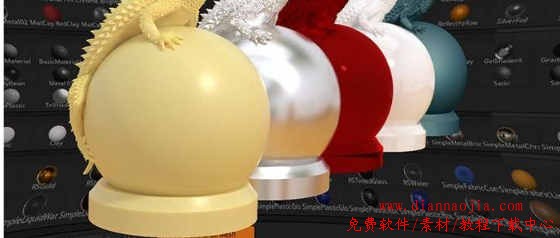
 主要特点
主要特点 1. 全面解析ZBrush材质: 本教程将全面解析ZBrush的材质系统,从标准材质到Matcap材质再到Redshift材质,让您对ZBrush的材质有清晰的理解。 2. 实用技巧分享: 课程将分享实用的技巧,帮助您更好地利用ZBrush的材质系统,提高工作效率。 3. Material Mixer应用: 深入了解Material Mixer的工作原理,学会如何在ZBrush中将多种材质进行叠加和组合,创造出更具创意的效果。 4. 实例分析: 课程将通过实例分析具体的材质应用场景,让您更直观地了解材质的使用方法和效果。 5. 持续学习支持: 本教程还提供课堂文件,让您可以跟随每个章节进行学习,并且您所学到的技能将有助于您打造更好的作品,展现您的雕刻技巧和ZBrush知识。 通过本教程,您将完全掌握ZBrush材质的应用技巧,为您的创作项目增添更多可能性。 Even advanced ZBrush sculptors may not have explored ZBrush materials in depth before. This course is designed to give a clear and practical explanation for the ZBrush Standard, MatCap, and Redshift, materials in a way that will allow you to create and share your own custom materials. This can be a huge time saver in getting approval on designs and models or just to create stunning images directly in ZBrush without the need to export for render in another 3D program. You can even render using Redshift directly in ZBrush without the need for UV Texture coordinates. The course starts with an explanation of how materials work in ZBrush, then explores the types of materials in three main sections: Standard Materials, Matcap Materials, and Redshift materials. The course also explains how the Material Mixer works and how you can use it to layer 2- 4 materials on top of each other and combine them in creative ways. The course emphasizes learning how the settings work and includes a breakdown of example materials. The example model is included in the class files so that you can follow along with each chapter. The skills you learn in this course will help you build better portfolio pieces that can highlight your sculpting skills and ZBrush knowledge.
|